

Edit Workspace Context
View and update existing context information within your workspace.
To edit a context item, search for it or a keyword close to the item you are looking for on the Context page and click into any result to open the edit view.
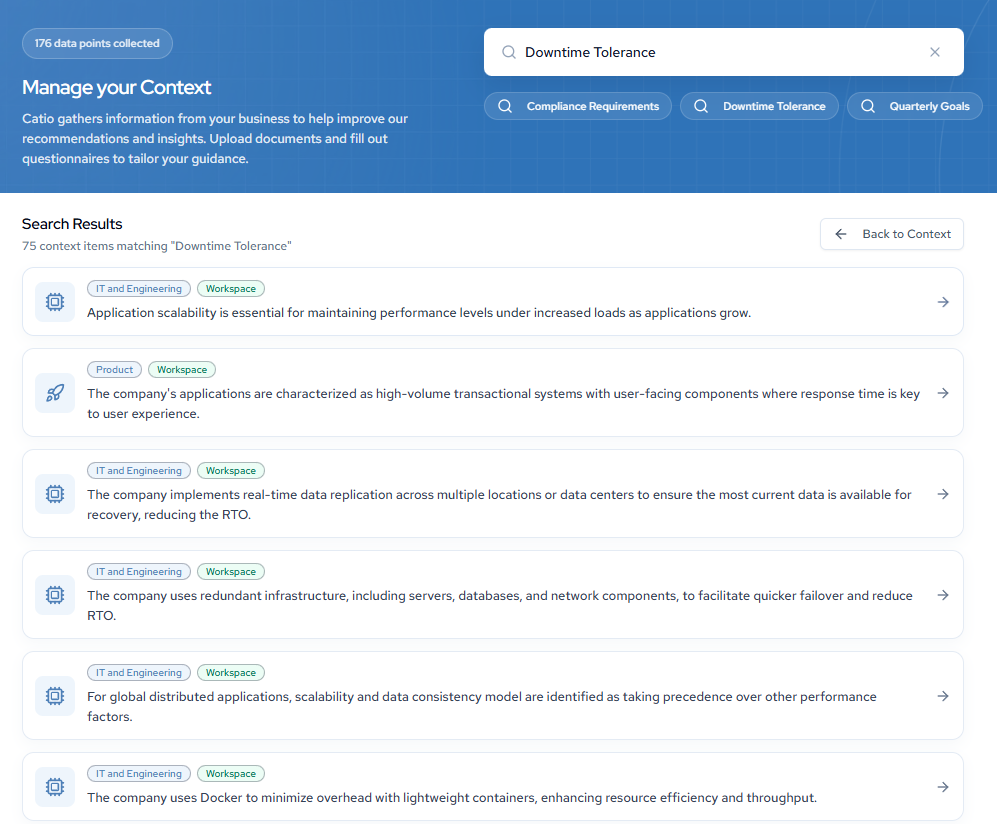
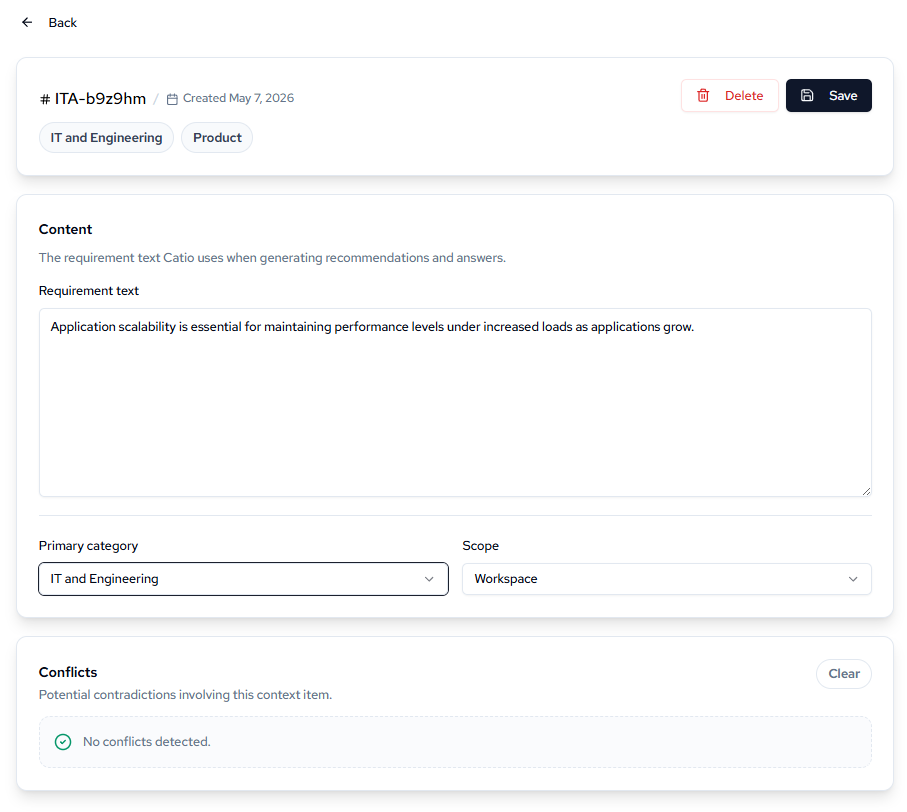
From the edit view, you can update the following fields:
- Requirement text: The content Catio uses when generating recommendations and answers.
- Primary category: The functional area this context belongs to.
- Scope: Whether the context applies at the Workspace or Global level.
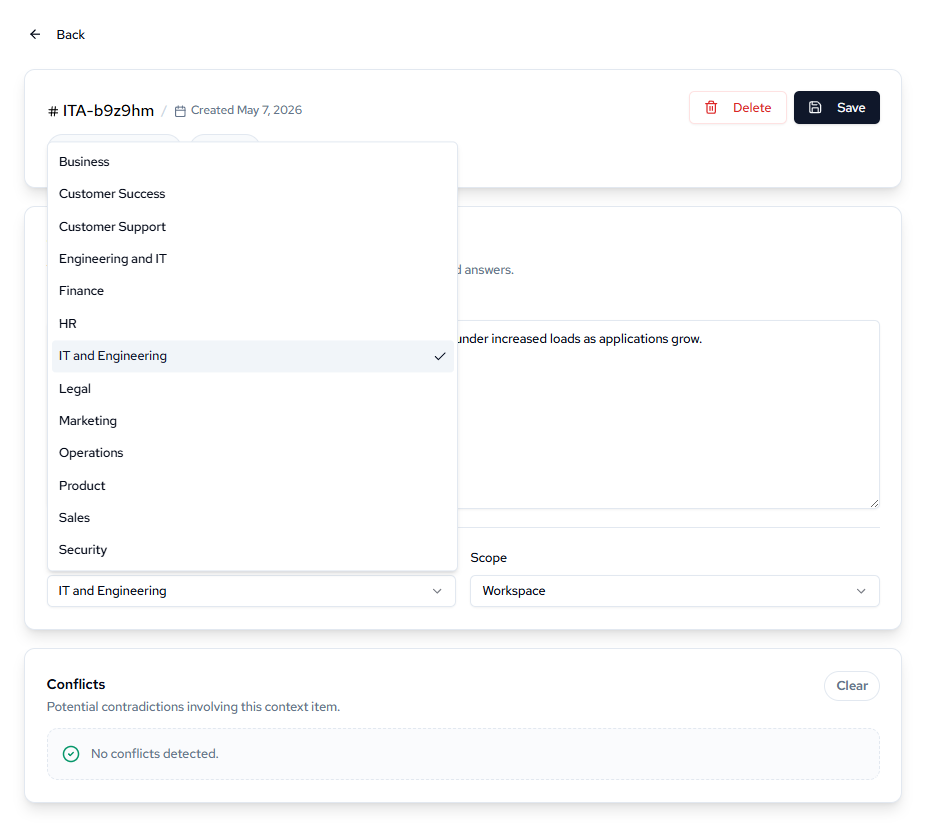
Use the Primary category dropdown to reassign the item to a different functional area (e.g., IT and Engineering, Product, Security).
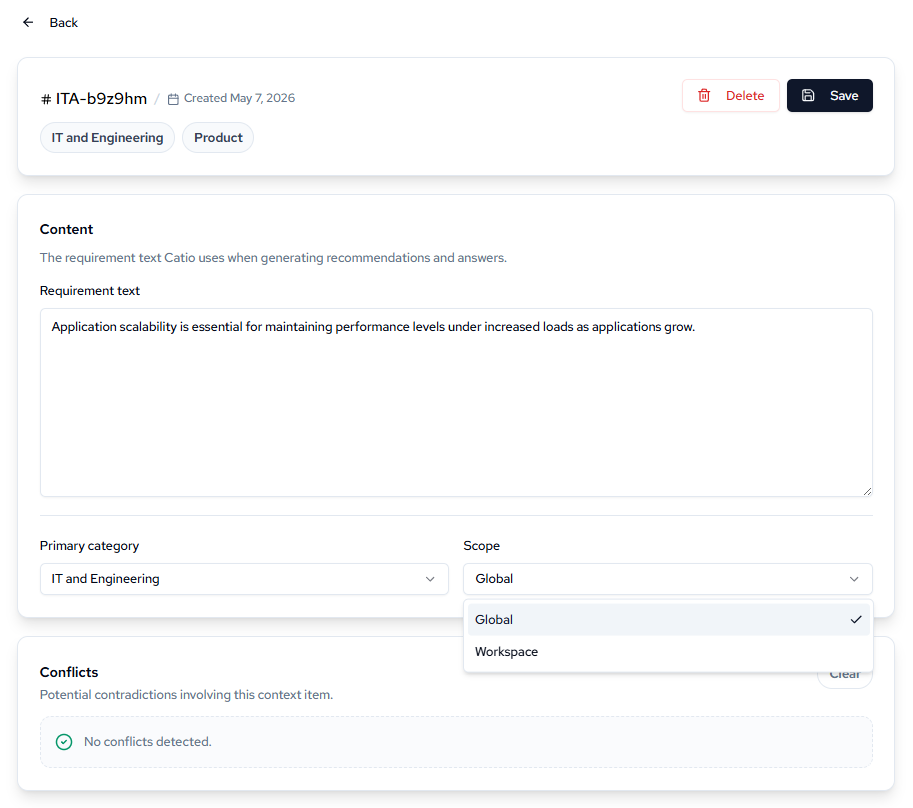
Use the Scope dropdown to control whether the context applies across all workspaces (Global) or only the current one (Workspace).
The Conflicts section flags any potential contradictions between this item and other context in your workspace, helping you resolve inconsistencies before they affect recommendations.
Once you've made your changes, click Save.
Updated 4 months ago