

Who is Archie?
Archie is the conversational entry point to the Architecture IDE: where architecture work starts, before it persists in Stacks and Blueprints.

Archie is Catio's conversational entry point to the Architecture IDE. You start the way you would start at a whiteboard with a colleague: ask a real architecture question, and Archie reasons against your live system model and the memory of decisions you have already made.
Why conversation is the entry point
Questions, explorations, and requests for guidance begin in Archie. Stacks and Blueprints are the structured, persistent artifacts where that conversation deepens into committed, long-term outcomes: a tracked Recommendation, a Design pulled into a coding IDE, a decision recorded against your architecture.
That order matters. You do not need to know which module owns an answer before you ask your question. You ask Archie, and Archie draws on the same live architecture model and decision history that the rest of Catio is built on, so its answers, options, and designs are grounded in your actual system rather than generic advice.
What Archie knows
Archie operates within your selected workspace and reasons against that workspace's architecture: services, dependencies, data flows, and the decisions your team has already made and recorded there.
Workspace requirement: you must have a workspace selected for Archie to access your architectural data. Without an active workspace, Archie functions as a general assistant but cannot reference your specific architecture information.
Response behavior: when your question does not require workspace context, Archie responds quickly with general guidance. When context is needed, Archie draws from your workspace's architectural data to answer.
Privacy per user: Archie conversations are scoped to individual users. Your conversation history is private and specific to each workspace you work in.
Use Archie to
- Answer architecture questions: Archie reads the architectural model in your selected workspace to answer questions about your systems, components, and relationships.
- Start a Recommendation or a Design: initiate a Blueprint directly from the conversation, without leaving it for another module.
- Provide platform guidance: get help understanding Catio's modules, navigation, and how to use them well.
- Get general assistance: for questions that do not require workspace context, Archie answers from general knowledge.
Starting a Recommendation or a Design from a conversation
Archie is not only for answering questions. You can initiate a Blueprint from inside a conversation by asking for one, using a phrase like "create a recommendation for..." or "design a new...". Archie then:
- Gathers context from your workspace: architecture components, requirements, and cost data.
- Generates a structured draft with the appropriate framing.
- Presents the draft for your review.
- Offers to save it, appending a confirmation prompt with Yes and No options.
Once saved, the Blueprint becomes a persistent artifact in your workspace that you can reference, edit, or share later.
The framing differs by type. Recommendations are framed persuasively, identifying gaps, risks, and ROI. Designs are framed prescriptively, specifying the target architecture and the implementation plan. For what each type contains and what to do with it, see Blueprints.
Where to find Archie
Archie is available directly on the home page of your selected workspace. Start a conversation by typing into the Ask Archie input.
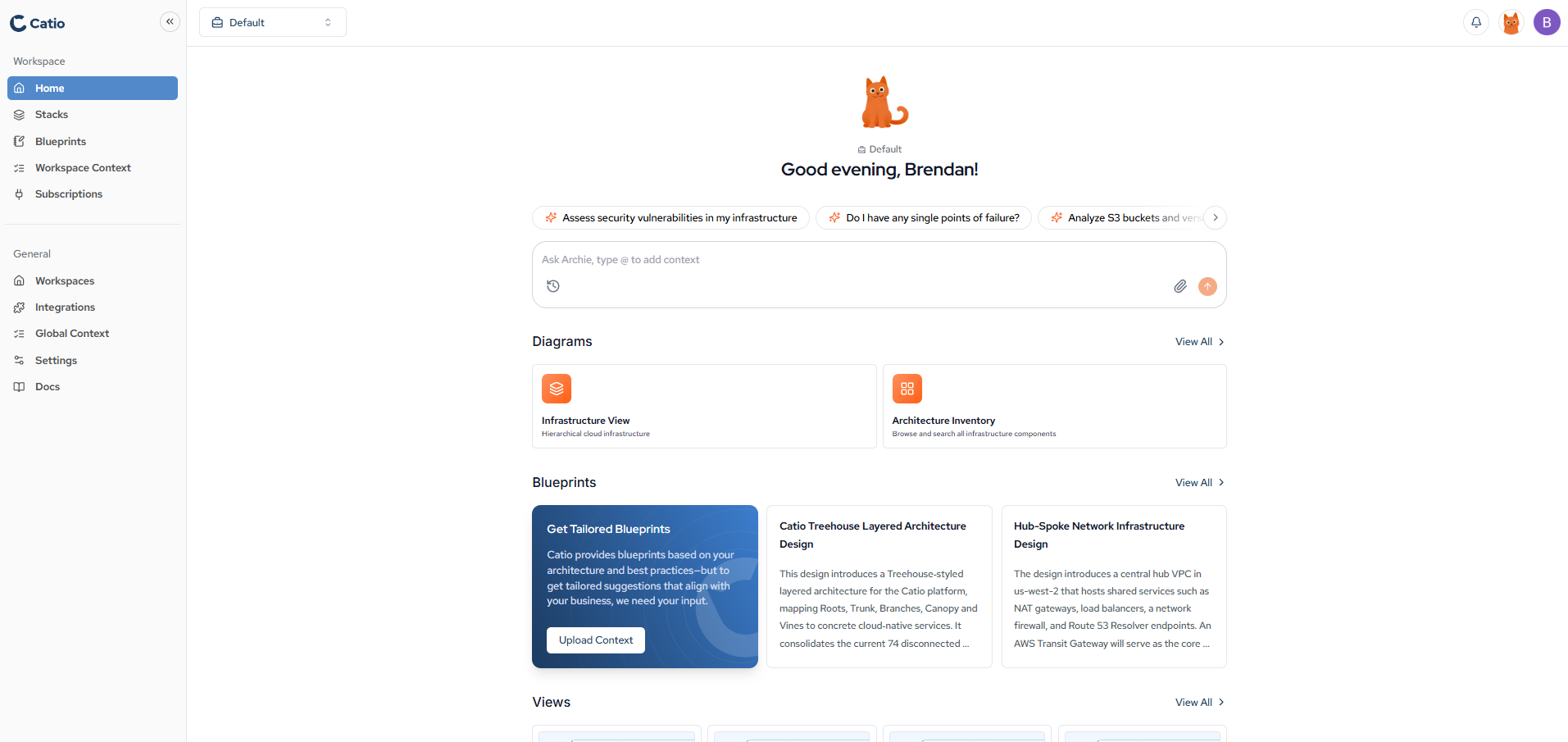
From anywhere else in Catio, open Archie using the icon in the top-right header. Archie opens as a docked panel within the canvas, so you can keep working alongside it without losing your place.
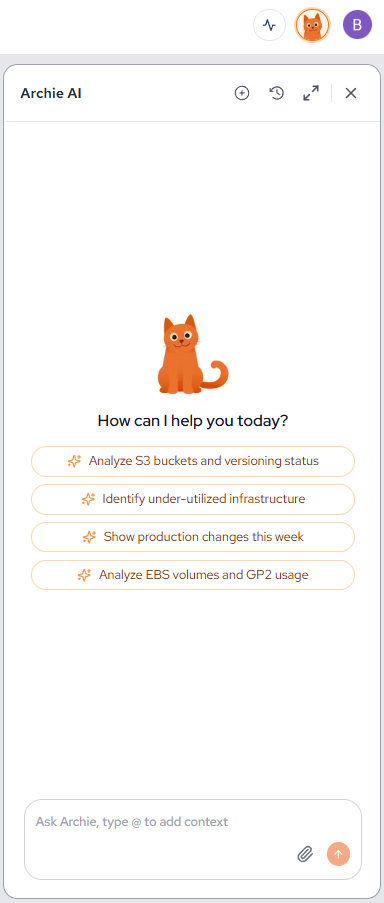
Archie is also reachable from your coding IDE. Once the Catio MCP is connected, the ask_archie tool runs the same workspace-grounded reasoning from inside Claude Code, Cursor, VSCode, and other MCP clients.
If Archie is not responding as expected, reach out to your Catio representative or contact Support.
In this section
- Using Archie for Architecture Deliberation: how to work a real architecture question through with Archie.
- Archie Prompts: a reference of prompts that get the most out of Archie.
Updated about 1 month ago