

What is an Integration?
Integrations connect your systems (for example, AWS, Kubernetes or VPC flow logs) to Catio to build a live architecture model that powers Stacks, Recommendations, and workspace views.
An integration is how Catio learns what your architecture actually is. Everything the platform reasons with — Diagrams, the Architecture Inventory, and every Blueprint generated against it — is built on the model your integrations produce.
That makes this the ground-truth layer. Workspace Context tells Catio what you are trying to achieve and what you will not accept; integrations tell it what is already true. A design grounded in a partial model is a design that will propose things you already run, or miss dependencies that decide whether the change is safe. Coverage here sets the ceiling on the quality of everything downstream.
Integrations are read-only: they observe your environment and do not change it.
- Read-only & secure: integrations observe your environment and do not make changes.
- Workspace subscriptions: subscribe integrations to the workspace(s) that should feed your architecture.
Components of an Integration
- Configure integrations: quick-start a connector, enter credentials, set schedules, and subscribe it to the workspace(s) that should receive data.
- Available integrations: browse certified connectors (AWS, Kubernetes, etc.), see compatibility notes, and pick the right fit for your stack.
Navigating to Integrations
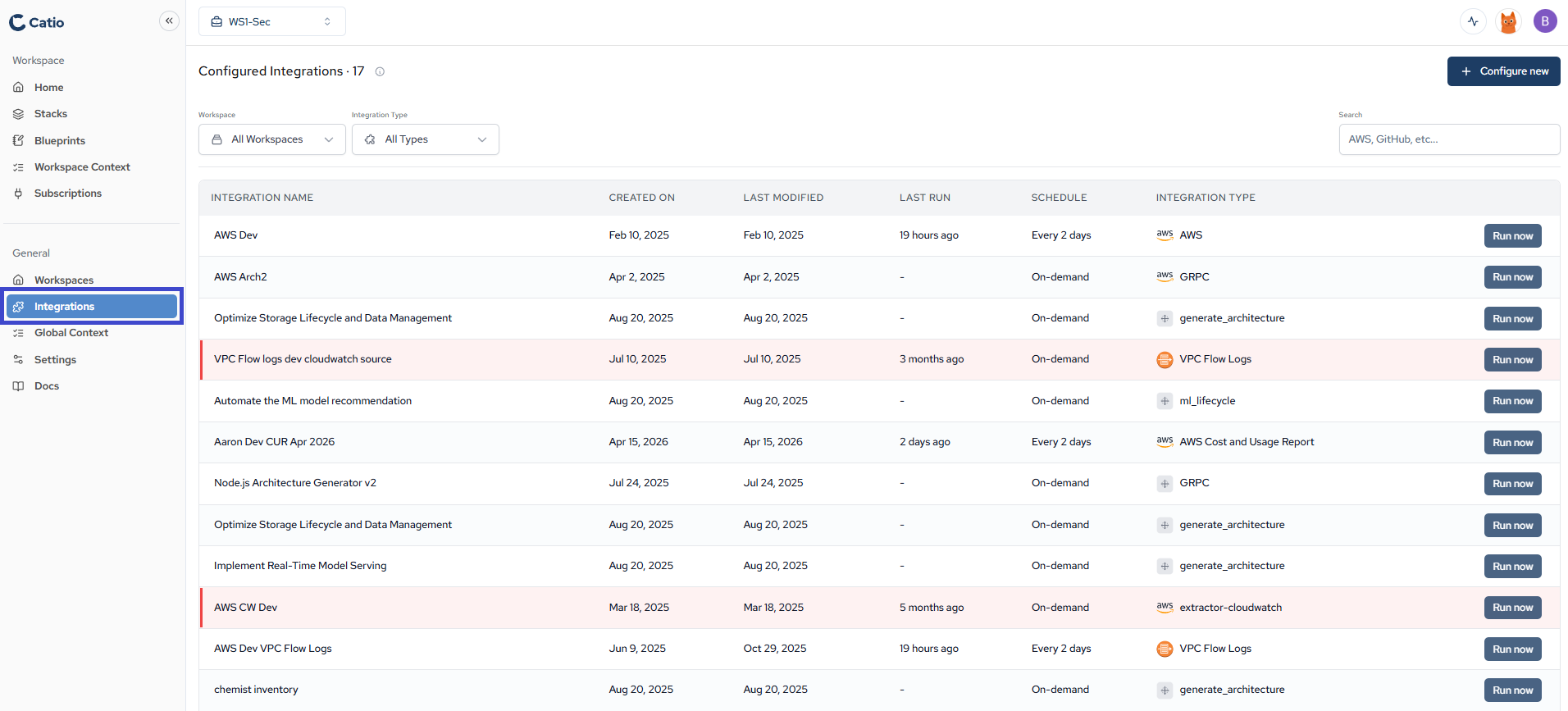
By clicking on the Integrations item under the General menu, you'll be brought to the Integrations main screen. From this screen, you'll be able to see the list of available integrations to configure.
Next
Integration Troubleshooting — what to check when an integration is not producing the model you expect.
Updated about 1 month ago