

What is Workspace Context?
What Context is, why every Catio output depends on it, and what belongs in it.
Context is where you tell Catio what you are trying to achieve, and what you will and will not accept along the way. Every recommendation, design, spec, and answer Catio produces is generated against your Context. Without it, AI reasons about your architecture in a vacuum. With it, AI executes your intent.
The objective function of your architecture
Systems optimization has a shape: an objective function you are maximizing, a constraint set that defines what is feasible, and the work of finding the best solution inside it. Context encodes that structure for your architecture, in three components.
- The objective: business and product context. What you are trying to achieve and what you will not trade off. Strategy, product purpose, goals for cost, resilience, and velocity. Without it the AI has nothing to optimize toward, and every proposal defaults to generic best practice.
- The constraints: the architecture state model. The system as it actually runs today. Services, dependencies, data flows, existing investments. This is the feasible region, and you do not upload it. It flows in live from Integrations and Stacks.
- The steering: architect encoding. Given the same objective and the same constraints there are many defensible ways to optimize, and AI on its own will find one of them, not necessarily yours. Architect encoding is where you steer how the objective gets achieved: standards, approved patterns, settled trade-offs, and the paths your organization has ruled out.
Only the first and third are things you write. The second arrives on its own.
A supporting mental model: the standing PRD
A PRD tells a team what to build and under what constraints, for one feature, once. Context plays that role for your architecture, permanently. Workspace Context is a full-lifecycle PRD for a single workspace. Global Context is a full-lifetime PRD for your tenant.
The difference is that a PRD goes stale and Context does not. Update it once and every future output inherits the change.
What Context informs
Context is not a module you visit. It is the input to the modules you actually work in:
- Blueprints: both Recommendations and Designs are generated against your Context, and a blueprint's Context Summary lists the entries that informed it.
- Plans: scoping and prioritization inherit the objectives and constraints you have set.
- Archie: answers are grounded in what you are optimizing for rather than in generic architectural advice.
- Specs delivered through the Catio MCP: the designs developers pull into their coding IDE carry your constraints with them.
This is why an empty Context is not a neutral starting point. It is a workspace where every output is optimized toward something you never chose.
Workspace Context and Global Context
Workspace Context applies to one workspace: the objective, in-scope systems, and constraints specific to the decision that workspace exists to support. Global Context is organization-wide and applies everywhere.
Workspace Context does not replace Global Context. It narrows and adds to it for the one decision at hand.
Getting Started
Navigate to the Workspace Context section in your workspace to begin uploading documents. Select a category and add relevant documentation to build your organizational context.
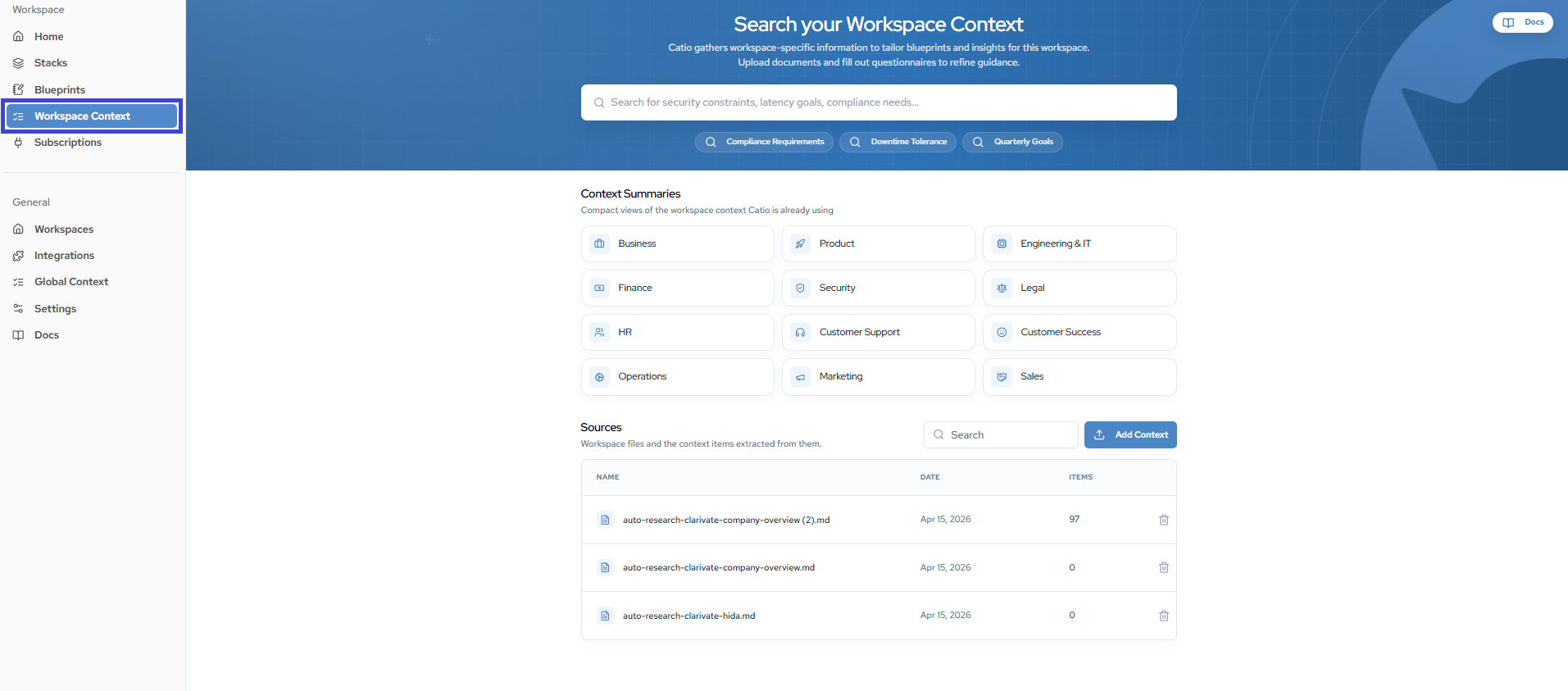
Context Categories
Organize context documents across multiple categories:
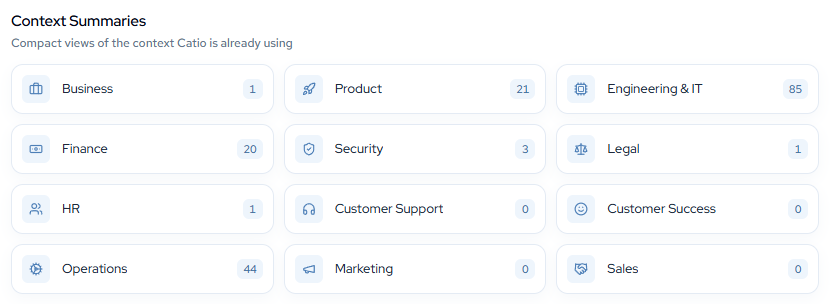
- Business: Strategy, organizational goals, and KPIs
- Product: Product strategy, roadmap, and key features
- IT and Engineering: Architecture, platforms, tooling, and delivery
- Finance: Budgeting, procurement, and cost controls
- Security: Policies, access, and compliance controls
- Legal: Regulatory requirements, contracts, and privacy
- HR: People policies, training, recruiting, and onboarding
- Customer Support: Support processes, documentation, and customer service
- Customer Success: Customer engagement, retention, and success metrics
- Operations: Operational procedures, workflows, and standards
- Marketing: Marketing strategy, campaigns, and brand guidelines
- Sales: Sales processes, strategies, and customer acquisition
In this section
- Add Workspace Context: upload documents or write context entries directly.
- View Workspace Context: search your context and trace entries back to their source.
- Delete Workspace Context: remove a source from this workspace.
- Supported File Types: what you can upload.
Going further
- Using Context Effectively: where entries belong, how to tell you have enough, and how to keep Context current.
- What Documents to Upload: the catalog of what to bring in, organized by the job it does.
- Architecture Encoding: the steering layer, and how writing judgment down once changes the architect's job.
Next
- Context Best Practices — the working practices for keeping Context useful.
- Context Scoping and Workspace Configuration for High-Quality Recommendations — how scope and Context together set output quality.
Updated about 1 month ago