

Setting up an Organization
The three-step setup that records your company stage and cloud provider.
Setting up your organization is the first thing you do in Catio. It does more than name your company: the company stage and cloud provider you select determine whether your configuration is supported today, which is why the form asks for them before anything else.
After signing up, you'll be guided through a three-step organization setup to tailor Catio to your company.
Step 1: Company Information
Enter your Company name and Company domain. Selecting a suggested company from the dropdown will prefill the domain field automatically.
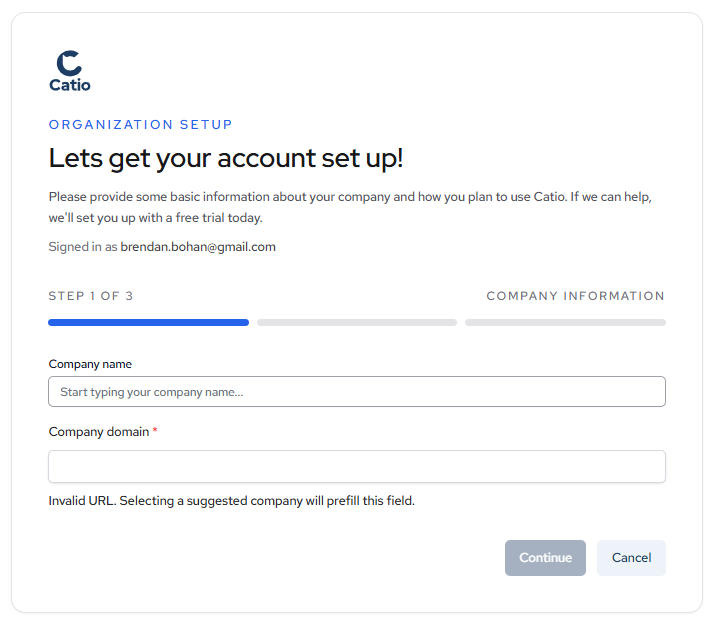
Click Continue to proceed.
Step 2: Company Stage
Select the option that best describes your company's current stage:
- Early stage startup: Seed through Series B.
- Late stage startup: Series C and beyond.
- Publicly traded company: Public enterprise with mature cloud governance.
- Fortune 500: Large enterprise with complex platform operations.
- Private Equity Backed: Private equity-backed company with multiple operating priorities.
- Other: A company stage that does not fit the options above.
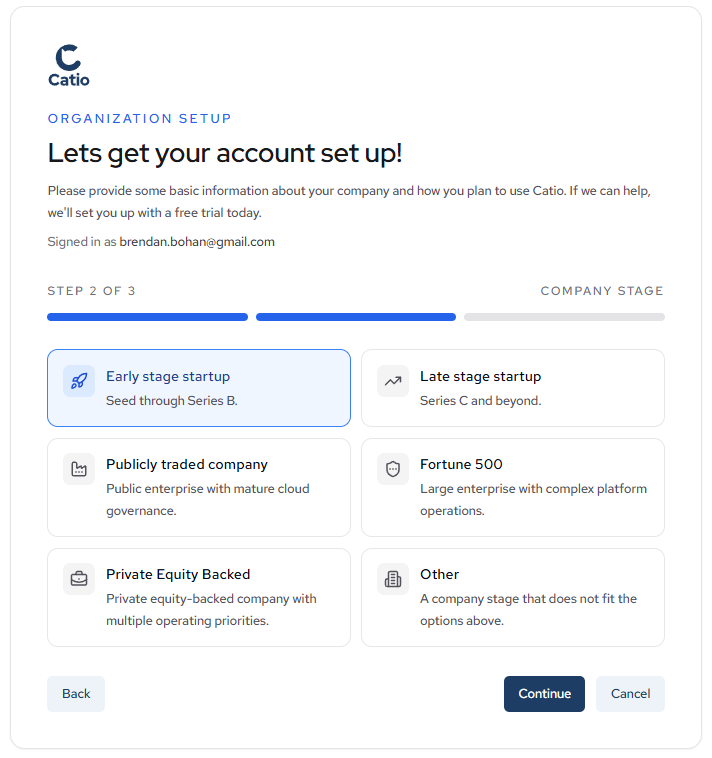
Click Continue to proceed.
Step 3: Cloud Providers
Select the cloud provider that hosts your infrastructure:
- AWS: Amazon Web Services
- Azure: Microsoft Azure
- GCP: Google Cloud Platform
- On Prem: Private datacenter or colocated infrastructure
- Other: Another cloud or hybrid hosting model
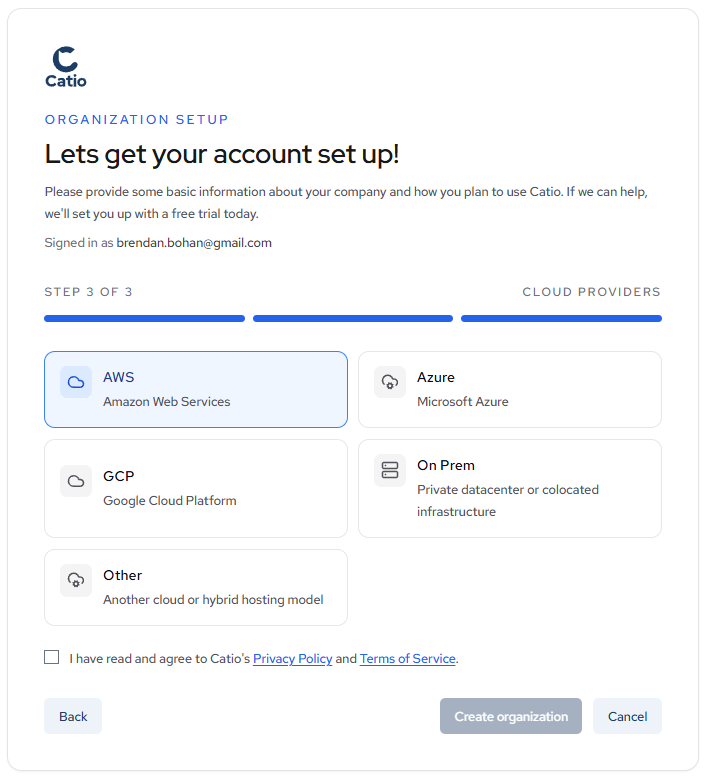
Review and agree to Catio's Privacy Policy and Terms of Service, then click Create organization to finish setup.
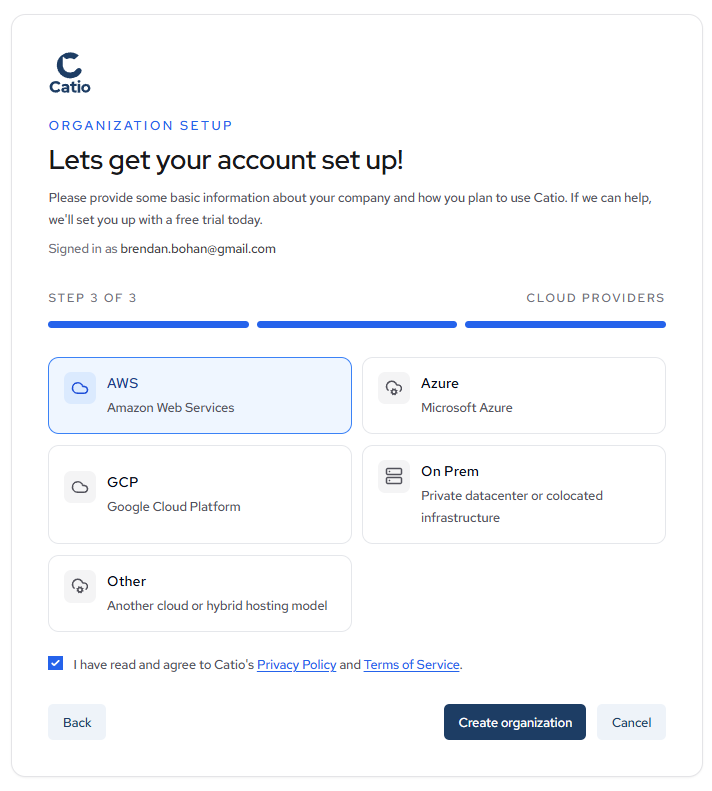
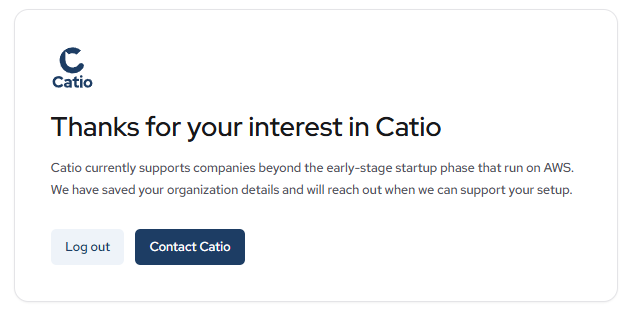
Catio's current supported configuration is companies past the early-stage startup phase that run on AWS. Both conditions apply. If your selections fall outside a supported configuration, your organization details are saved and the Catio team will reach out when your setup can be supported.
Done When
Your organization setup is complete when:
- Your company name and domain are saved.
- Your company stage and cloud provider are recorded.
- You have agreed to the Privacy Policy and Terms of Service.
- You have clicked Create organization and the Catio team has your details.
If your configuration is supported, you can move straight into creating your first workspace. If it is not, the Catio team will reach out.
Next Steps
- Inviting Users: bring in the people who will own Context and integrations.
- Create a Workspace: set the boundary for the system you want Catio to reason about.
- Quick Start: the fast path from an empty organization to your first guidance.
Updated about 1 month ago