

Delete Global Context
Remove a source from Global Context, and from every workspace that inherits it.
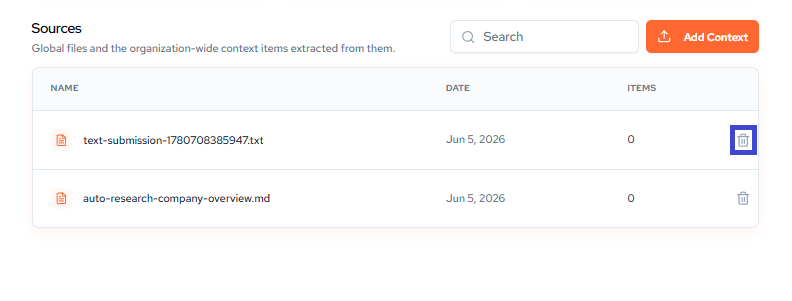
To delete a Global Context item, click the trash can icon in the sources piece. This will then change your Global Context outcomes.
This is Global Context. Deleting an item here removes it from every workspace, not just the one you are viewing.
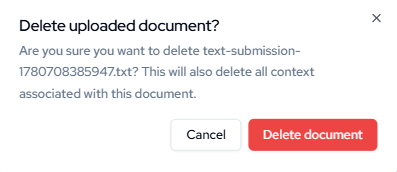
A confirmation modal will appear. Click Delete to permanently remove the Document, or Cancel to keep it.
Updated about 1 month ago
Did this page help you?