

Delete Workspace Context
Remove a source from this workspace, and change what future output is evaluated against.
Removing a source changes what Catio optimizes toward. Blueprints already generated keep the Context Summary they were created with, but everything generated afterward is evaluated against the reduced set, so deleting is a deliberate act rather than housekeeping. For the full picture, see What is Workspace Context?.
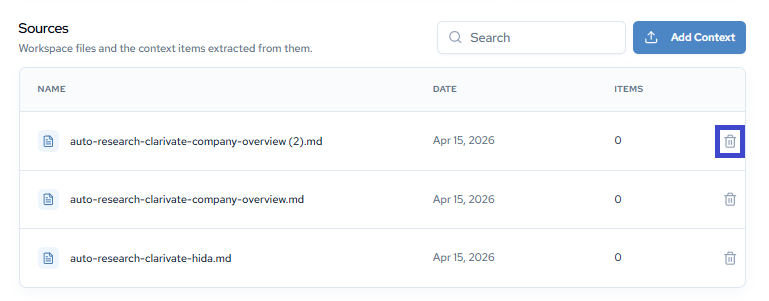
To delete a Workspace Context item, click the trash can icon in the sources piece. This will then change your Workspace Context outcomes.
Remember: This is Workspace Context. If you delete here, it deletes in this specific workspace!
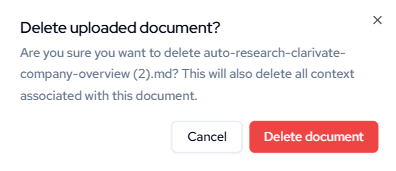
A confirmation modal will appear. Click Delete to permanently remove the Document, or Cancel to keep it.
Updated about 2 months ago