

Plans
Turn a set of individually justified blueprints into a sequence your team can execute.
A plan is what turns a set of individually justified blueprints into a sequence someone can actually execute.
Blueprints tell you what is worth doing. Each one carries its own ROI and trade-offs and is defensible on its own. What they do not tell you is what to do first, what depends on what, or which slice of the architecture this quarter belongs to. That judgment is the plan, and it is the difference between a backlog and a roadmap.
A plan also records the scope it was built against. Generating against a Scope and a Focus captures what Catio was reasoning about at the time, so when someone asks in six months why a particular sequence was chosen, the answer sits on the plan rather than in somebody's memory.
To access Plans, navigate to Blueprints in your workspace and click the Plans tab.
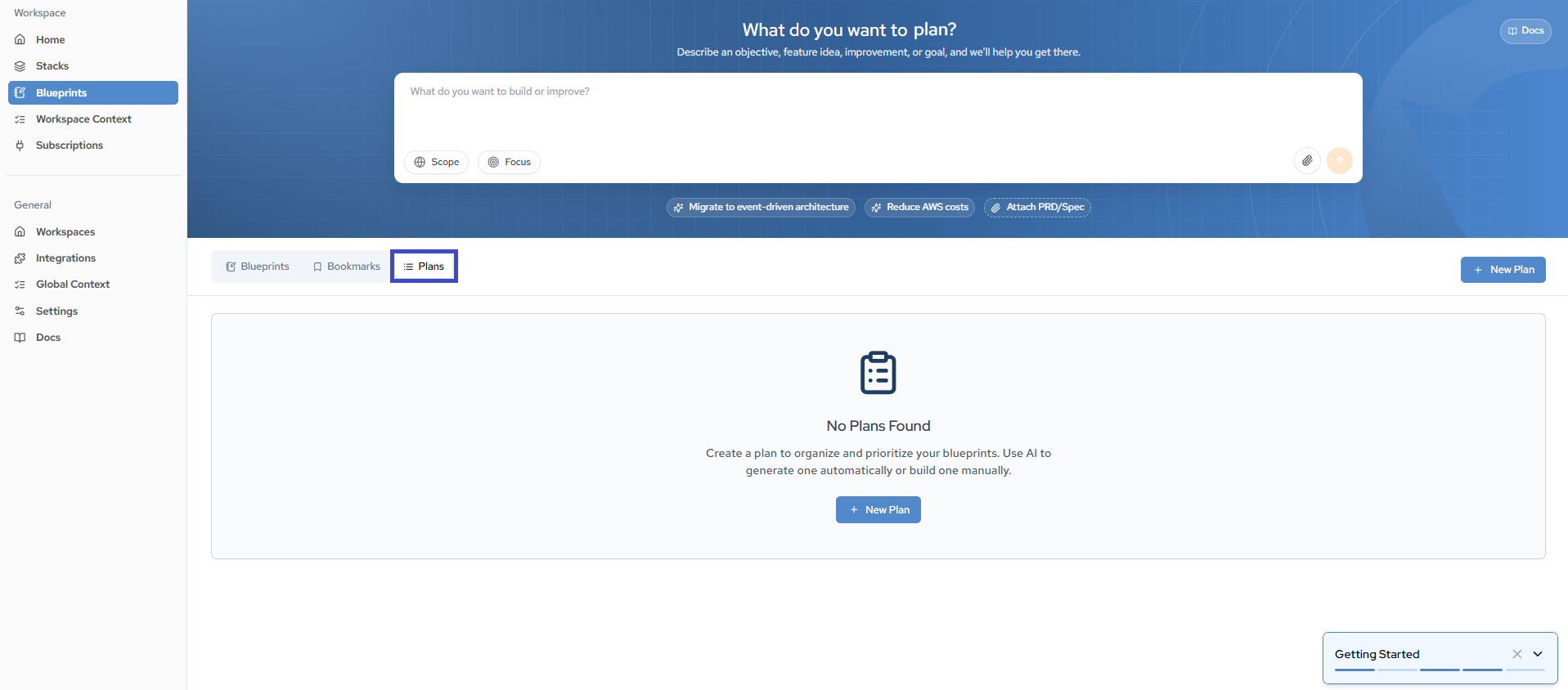
Three ways to get a Plan
Plans organize and prioritize your blueprints into actionable roadmaps. There are three routes to one, and the first is the one most people take without setting out to.
| Route | What it does | When to use it |
|---|---|---|
| The Blueprints prompt box | A mandate-level prompt is recognized as broad, and Catio generates a Plan rather than a single Blueprint | The default path, and the only one that accepts attachments — a mandate memo, budget guidance, a PRD |
| Plans → + New Plan → AI Plan | The same generation, but guarantees the output is a Plan instead of leaving it to prompt breadth | When you want certainty that you get a Plan. Does not accept attachments |
| Plans → + New Plan → Manual Plan | Creates an empty Plan you hand-pick Blueprints into | When the blueprints already exist and the judgment you are adding is the sequencing |
For how prompt breadth decides between a Blueprint and a Plan, see Blueprints.
Creating a Plan from the Plans tab
Both + New Plan routes start the same way:
- Navigate to the Plans tab within the Blueprints tab.
- Click + New Plan.
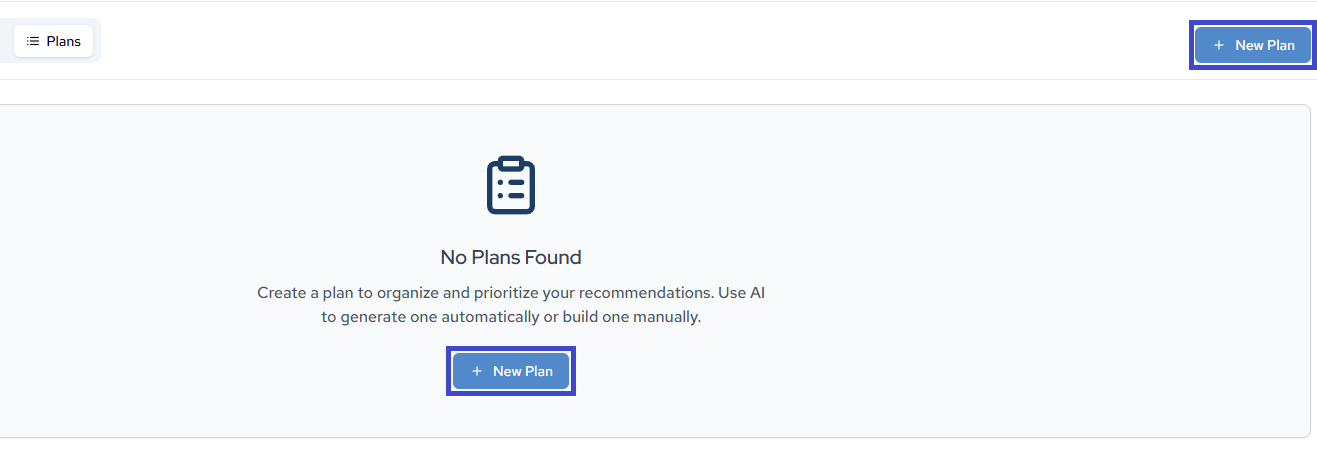
- Select AI Plan or Manual Plan.
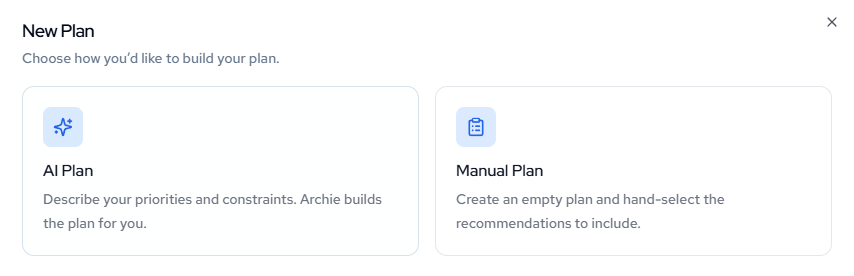
Use AI Plan when you want Archie to propose both the blueprints and their order. Use Manual Plan when the blueprints already exist and the judgment you are adding is the sequencing.
AI Plan
AI Plan uses Archie to generate a structured plan based on your goals. Describe what you want to improve, optimize, or build, and Archie will analyze your architecture and produce targeted blueprints organized into a plan.
AI Plan runs the same generation as the Blueprints prompt box, with one difference in each direction: it guarantees the output is a Plan, and it does not accept file attachments. If the mandate depends on a document, start from the Blueprints prompt box instead.
- Enter a description of your goals in the prompt field. For best results, include priorities, constraints, timeframe, and business goals.
- Set the Scope to target a specific area or your full architecture.
- Set the Focus to narrow by domain or select All.
- Click Generate.
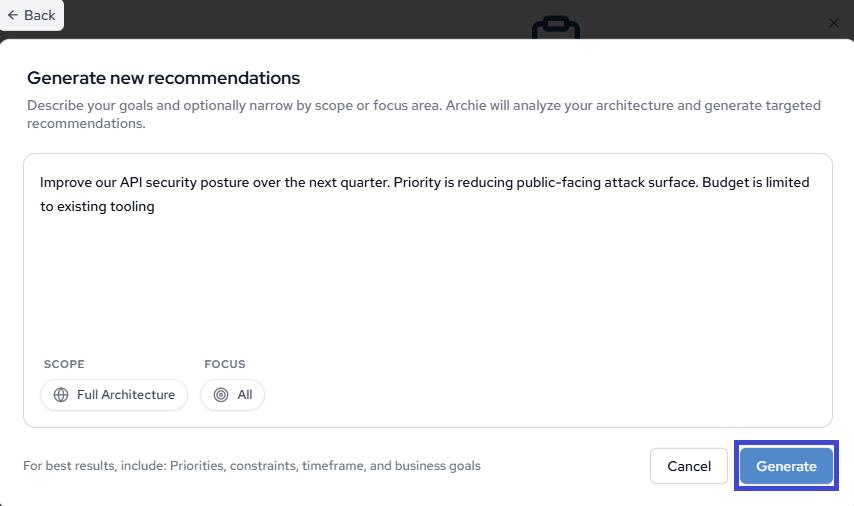
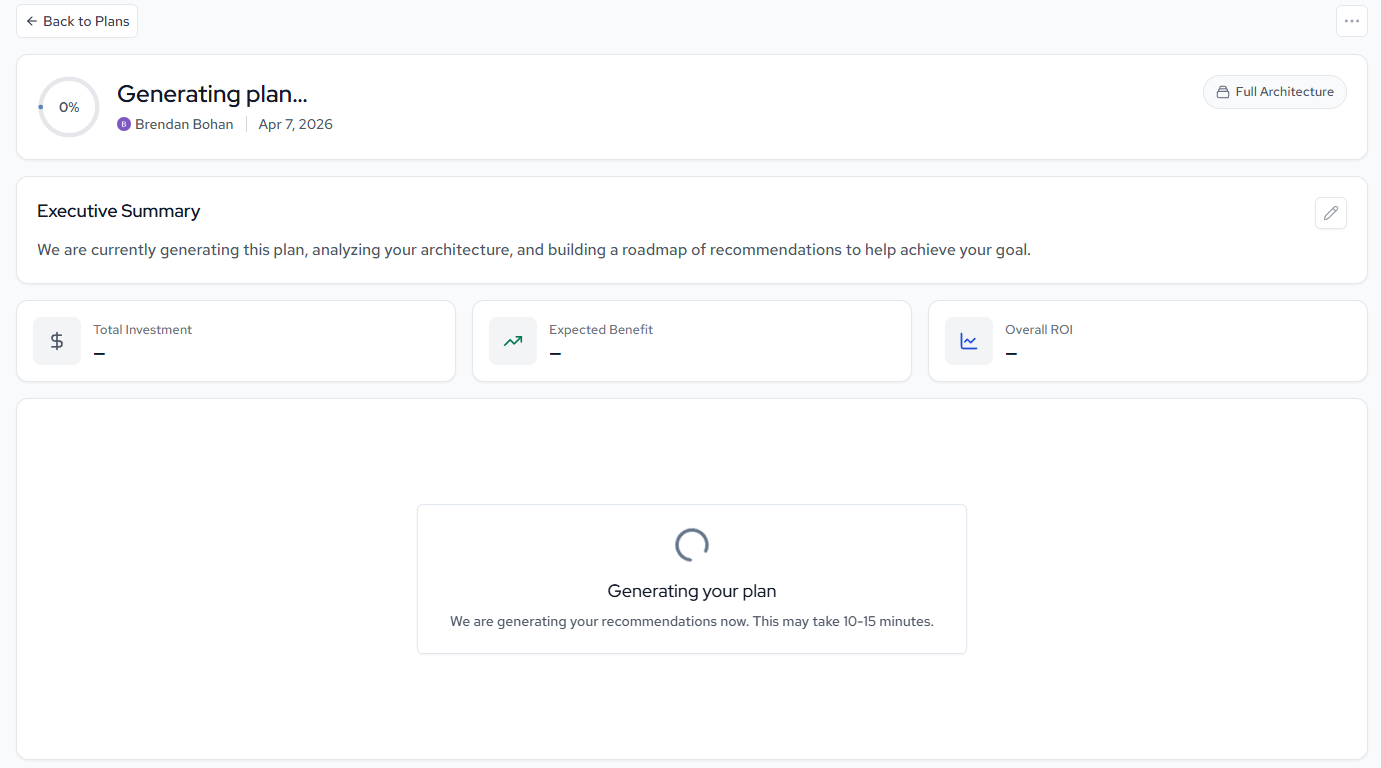
Archie will analyze your environment and generate a plan with targeted blueprints. Generated plans are saved under the Plans tab for ongoing reference.
After clicking Generate, you should see this landing page:
Manual Plan
Manual Plan creates an empty plan where you hand-pick the blueprints to include.
- Enter a Name for your plan.
- Add a Description (optional) to note what the plan is for.
- Set the Scope (optional) to target a specific area or keep the default of Full Architecture.
- Click Create List.
After you click Create List, you should see this landing page:
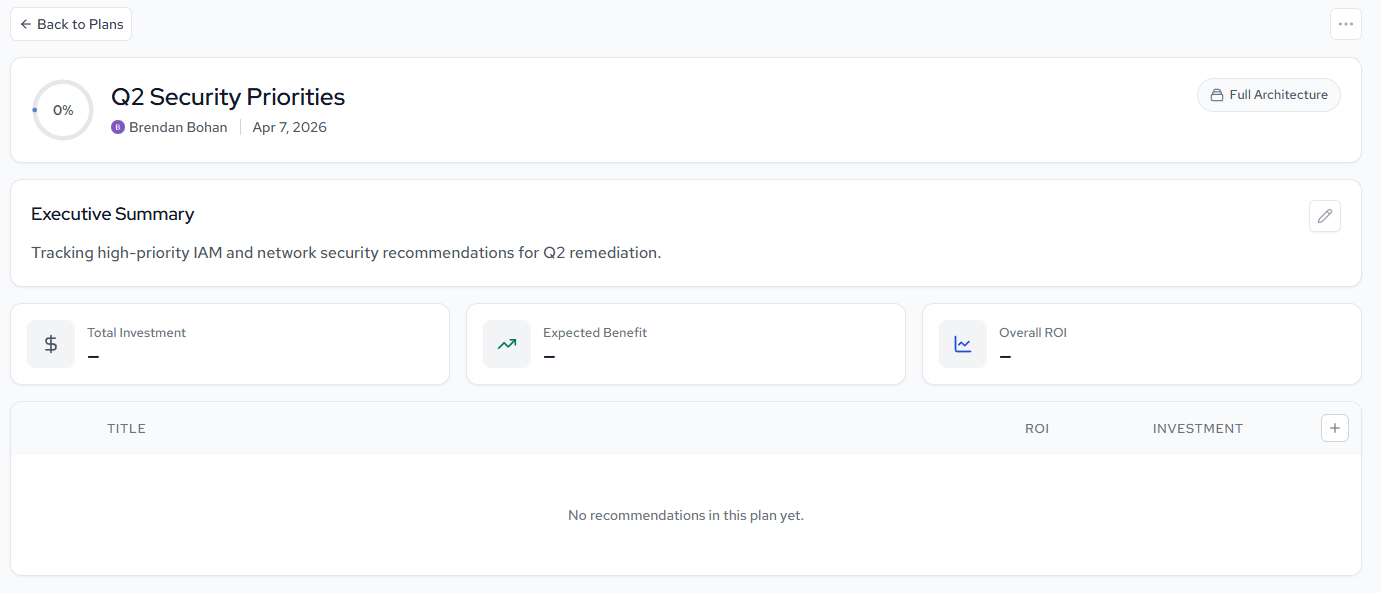
Once created, you can browse your blueprints and add them to the plan individually. As a plan grows past a handful of items, break it into sublists so phases and ownership stay visible at a glance.
Next
- Building Plans — working a Plan from generation to a committed sequence.
- Roadmaps Best Practices — sequencing, phasing, and keeping a Plan current.
Updated about 1 month ago